


Glasser Team8 min read
Free Web Search API: Choose by Output, Free Limits, and Task Cost
Compare free web search API tiers for AI agents and Google SERP data. See which return links or content, then budget search and extraction together.

An agent searches for a company's latest product announcement. It gets ten relevant links, but none of the text needed to explain what changed. The search call worked. The task is still unfinished.
When choosing a free web search API, decide what must reach your application: ranked links, short excerpts, page content, or an answer with sources. Then check how much of that workflow the free allowance covers.
For an AI prototype with no payment card, Exa and Tavily have documented free API allowances worth evaluating. For Google result data, Serper offers a starter allocation. Brave supplies another search index with monthly credits. These are starting points for testing, not performance rankings. Pricing and access details below were checked on September 23, 2026.
Choose the output before the provider
| Your application needs | Suitable API type | What to verify in the response |
|---|---|---|
| A short fact with a source | Web retrieval with useful excerpts | The cited page actually supports the fact |
| Several pages for an LLM to compare | Search plus content retrieval | Readable evidence, source URLs, and enough relevant context |
| Recent announcements | Search with suitable date/topic controls | Actual publication time and relevance, not just a recent crawl |
| Google rankings in a market | Google SERP data | Position, country/language settings, and result type |
| Results beyond the first page | An endpoint with pagination | Page/offset support, duplicate handling, and additional charges |
An AI-oriented ranking can be useful without reproducing Google. Conversely, a Google snippet may not contain enough evidence to answer a complex question. This distinction is the first filter when comparing the best search API for your project.
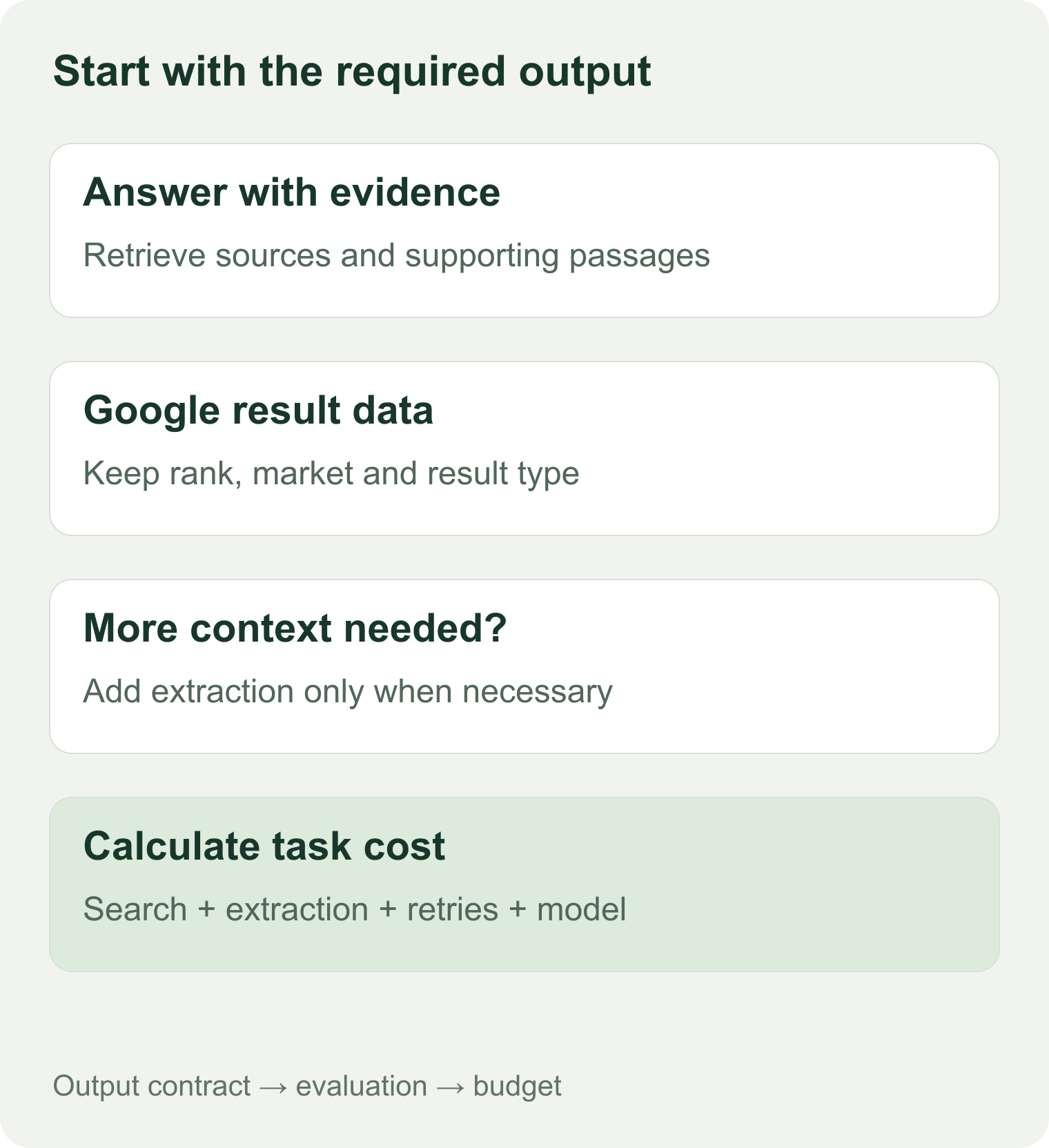
The output requirement determines which operations belong in your budget.
For a free web search API for LLM applications, write one acceptance sentence before integrating anything: “Return two independent source passages that support the answer, with URLs and dates where available.” That gives you something concrete to test beyond HTTP success.
Compare free allowances and paid boundaries
| Provider, direct access | Free starting point | Published paid unit | Key limitation to check |
|---|---|---|---|
| Exa | $20 signup credit plus $10 monthly credit; no payment method required | Search starts at $7/1,000 requests, covering up to 10 results | Larger result sets, different modes, and optional content features can change cost |
| Tavily | 1,000 credits/month; no credit card required | PAYG $0.008/credit; basic search uses 1, advanced uses 2 | Search depth and extraction change the number of tasks the quota covers |
| Brave Search API | $5 monthly Search credit | Search $5/1,000 requests | Confirm current account requirements and credit conditions; do not budget the Answers product as Search |
| Serper | 2,500 free starter queries; no credit card required | Starter purchase $50 for 50,000 queries | Treat the starter allocation as non-recurring unless your account explicitly says otherwise |
Sources: Exa pricing, Tavily credits, Brave plans, and Serper pricing.
Select a shortlist using your constraints
For zero budget and no card, begin with Exa or Tavily for AI retrieval, or Serper for Google results. For continuing monthly usage, compare the recurring allowance rather than the initial bonus. For page content, verify which response fields contain the needed evidence and whether a second extraction call is necessary.
Brave's launch explanation associates the monthly free credit with attribution on your project's site or about page. Check the current signup terms before relying on that credit. Its Search and Answers products have different billing units. Brave's plan explanation
The Exa starter page lists 10 search queries per second. Serper's paid Starter lists 50 queries per second, which does not establish the free account's limit. For Tavily, check the account tier against its rate-limit reference. Start below the documented account limit and handle throttling explicitly.
Serper documents that new queries stop when credits are exhausted. Tavily documents usage-limit errors and a separate PAYG limit. For every candidate, check the actual account's overage setting before a production rollout. A free tier should not silently become an unbounded experiment.
Test three tasks with the same output requirements
You can compare the best AI search API for your application without creating a large benchmark. Start with three tasks and keep the output contract fixed.
| Task | Example query to adapt | Pass condition |
|---|---|---|
| Short sourced fact | “What is the documented retention period for product X's audit logs?” | The answer cites an official page containing the relevant statement |
| Time-sensitive lookup | “Find product X's releases from the last 30 days” | Results fall within the period and describe releases rather than unrelated mentions |
| Multi-page research | “Compare three databases' documented backup and restore limitations” | Each comparison cell has supporting evidence from the correct product/version |
These are proposed evaluation tasks, not completed tests. Use your actual products and dates. Keep queries, filters, result limits, and requested content lengths in the evaluation sheet.
For each query, save the raw response and answer these questions:
- Did the provider return the right type of page?
- Does the extracted passage contain the evidence you need?
- Did two results duplicate the same underlying source?
- Can a reviewer trace the generated answer to a URL and passage?
- How many search, extraction, and retry operations were required?
A result with a convincing title can fail the second check. A recent-looking date can refer to a page update rather than the event you asked about. Open a sample of the source pages while evaluating, rather than trusting metadata alone.
Keep an output record your application owns
Use fields such as task_id, provider, mode, query, source_url, evidence_text, published_at, retrieved_at, and charge. These are suggested fields for your evaluation system, not a claimed common API schema.
Keep missing dates and failed extractions visible. Your agent should be able to return “insufficient evidence” when the retrieved material cannot support an answer.
When you need a SERP API instead
Choose a SERP API when the position and structure of an engine's results are part of the data you need. Set the target country and language, record the observation time, and identify which result types you count.
For the best SERP API shortlist, check pagination before comparing a cheap SERP API's headline unit price. Ten first-page results and a full rank-tracking dataset are different purchases. A SERP API alternative should preserve the location, language, result fields, and depth your downstream process uses.
Google web search API pricing has an access constraint
Google's Custom Search JSON API is closed to new customers. Its official page gives existing customers until January 1, 2027 to transition. The historical allowance of 100 free daily queries and $5/1,000 additional queries applies to those existing customers during the transition. It should not be listed as a new project's generally available free option. Google's current overview
Glasser's inspected search options
Glasser's September 23 contracts offered two different paid paths:
| Glasser endpoint | Observed price | Scope in the inspected contract |
|---|---|---|
Exa /search, v1 | $0.007/call; no result $0 | Up to 25 results; documented content and domain/date options |
Serper /search, v2 | $0.0011/call, including no-result outcomes | One Google result page, up to 20 results; country/language inputs; no pagination input |
Use Glasser endpoint inspection to obtain the current schema and charge rules. The provider's direct free allowance is separate. Do not add native Exa modes or Serper pagination parameters that the inspected Glasser schema does not expose.
Glasser's billing documentation explains that status and charge are independent. An empty search should not be assumed to cost zero: the inspected Serper no-result clause explicitly charges for it.
Budget a completed task, not just a search
Use this model:
Task cost = search charges + content retrieval + paid retries + model input/output + any other required operations.
Count unique completed tasks in the denominator when comparing usable outcomes. An API with a lower search price may require more extraction or a second query to reach the same answer.
A small research budget
Assume each task performs two Tavily basic searches and then successfully extracts five URLs at basic depth. Under the documented credit rules, the task consumes 2 search credits plus 1 extraction credit: 3 credits.
The 1,000-credit monthly allowance would cover 333 complete tasks, with one credit left, if every task follows that pattern and no other operations consume credits. Switching both searches to advanced raises the total to 5 credits and reduces the allowance to 200 tasks. At the $0.008 PAYG rate, those patterns cost $0.024 and $0.04 per task before model costs. Credit rules
These are hypothetical workloads. They do not predict evidence quality or the number of searches your agent will actually need.
A low-volume Google result workflow
At Serper's direct Starter price, 50,000 queries cost $50 and credits remain valid for six months. The quoted $1/1,000 rate assumes that purchased capacity is useful to you.
If you only make 1,000 billable queries after exhausting the starter allowance and then stop, the required $50 purchase matters more than the marginal $1 of consumed capacity. Glasser's observed Serper rate would make 1,000 billable calls $1.10, but it has the narrower inspected endpoint contract described above. Neither calculation establishes which source produces better data.
The cheapest web search API or cheapest SERP API for you depends on useful volume, minimum purchases, unused credits, and the operations required to finish the job.
Questions about free search APIs
Is a free web search engine API the same as free MCP access?
No. They can have different authentication, limits, and output controls. The shortlist here concerns documented API allowances. Check MCP terms separately if your application will use an MCP server.
Which is the best free search API for an LLM prototype?
Start with the provider that meets the output and signup requirements you have written down. Exa and Tavily are reasonable candidates for source-based retrieval; Serper fits a Google SERP task. Run the same acceptance tasks before choosing.
Do search results include full page text?
Sometimes, depending on the endpoint and parameters. A snippet, relevant excerpt, and full page body are different outputs. Inspect the returned fields and use a content endpoint only when the search response is insufficient.
Can I keep a web search API free indefinitely?
Only while your usage remains within a continuing allowance and the provider's terms. A signup bonus does not renew automatically. Save the allowance type, billing setting, and observation date alongside your integration configuration.
Related posts

8 min read
Exa vs Tavily: Compare Search Output, Task Cost, and Migration Work
Compare Exa vs Tavily on search modes, content output, and task cost. Use a matched-task checklist to choose a provider and plan migration.

8 min read
Free People Search API: Find Candidates Before Paying for Contact Data
Find out what a free people search API returns before paying. Compare profile previews, enrichment, and contact-reveal costs for B2B prospecting.
Make your agent
work with real data.
Search, inspect, and run data APIs through one Glasser key. Turn your next question into a result you can use.
Get started with Glasser