
Glasser Team4 min read
From Google Maps Data to a 3D Exploration Game with Glasser
See how Problem Safari uses Glasser to turn Google Maps business data and customer reviews into a playful 3D neighborhood exploration experience in New York.
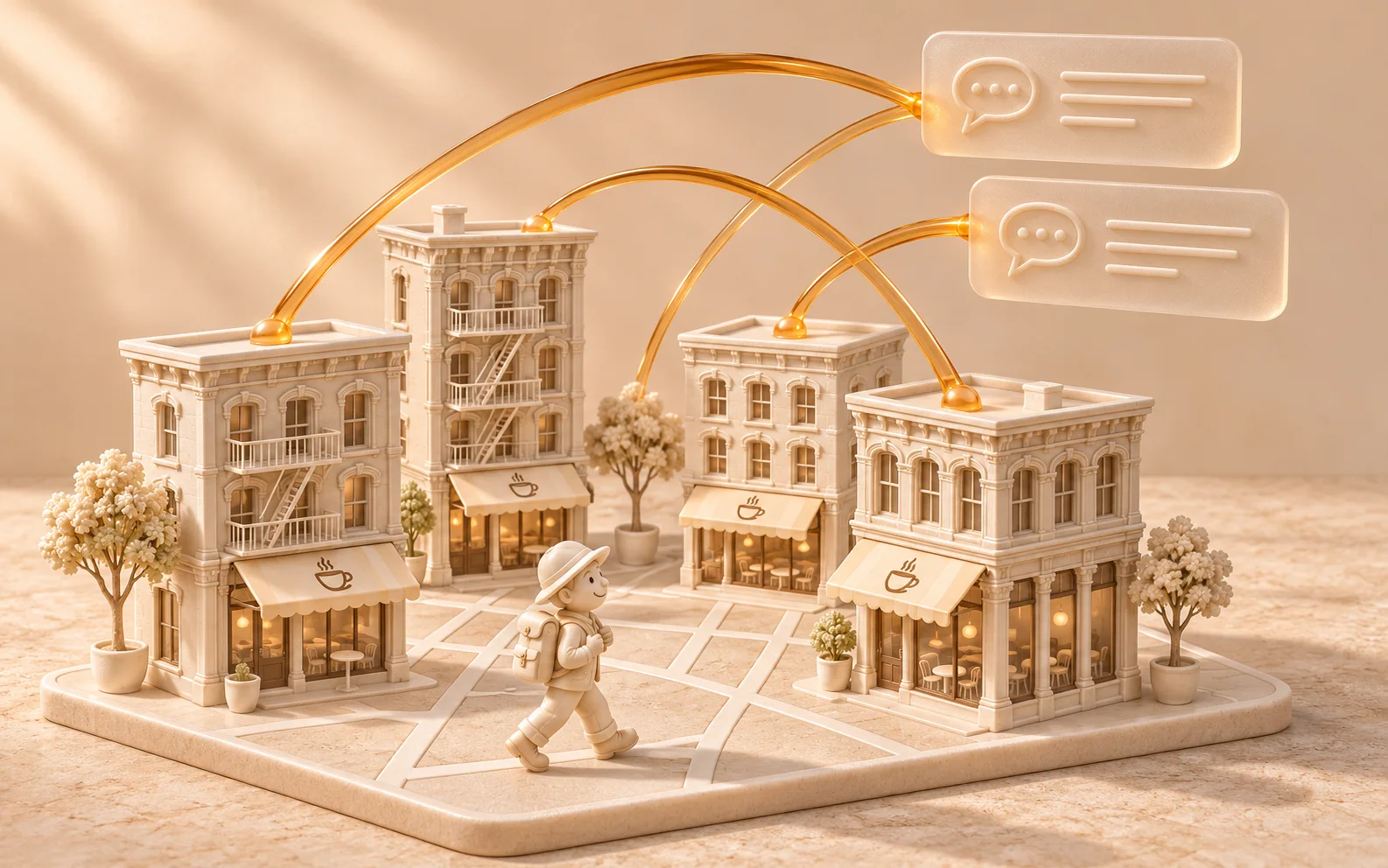
What if exploring customer reviews felt like exploring a neighborhood?
Problem Safari, an open-source project by GitHub user JesseQin123, brings that idea to a small corner of New York. It turns SoHo coffee shops and review evidence into a playful 3D environment, with a little explorer moving between buildings as visitors investigate shared themes.
Glasser supplies the connection to external business data. The application turns that data into something visitors can explore. Together, they show a practical way to build an interactive project around real places.
Watch Jesse’s Problem Safari demo on X
A neighborhood you can explore through customer feedback
Problem Safari organizes its experience around strengths, friction, and patterns shared across shops. Buildings change height according to the amount of evidence in the selected view. Choose a theme, and arcs connect shops with matching evidence while the explorer jumps between them.
The underlying map comes from OpenStreetMap. Shop information, reviews, and photos come from Google Maps data accessed through Glasser. These are separate layers: one provides geography, the other supplies the material for exploration.
According to the project README, the creator collected data for 10 SoHo coffee shops, 200 reviews, and nine main business images. The documented collection used 21 Runs and cost $0.0661. That is the creator’s reported data acquisition cost for this sample, excluding development, model usage, and hosting; it is not a current price quote.
How Glasser connects the project to Google Maps data
The project needs three kinds of information: places to put on the map, reviews to explore, and business images to make those places recognizable.
Its data collection script uses Serper’s place search and review endpoints, plus DataForSEO’s business profile endpoint, through a Glasser integration. Place identifiers connect a discovered shop to its review lookup. Profile results are also checked against a business identifier before being marked as matched.
This is where Glasser fits into the build. Its Search → Inspect → Run workflow lets a developer or agent find an endpoint, inspect its inputs and current price, then execute it. Supported providers are accessed with a Glasser key, without separate provider accounts. Search and Inspect are free; execution charges follow the endpoint’s pricing rules.
For a project like Problem Safari, that means business discovery, reviews, and profiles can sit behind one integration while retaining the different inputs each endpoint requires.
Turning retrieved data into an interactive experience
Fetching records is only the first step. The application still needs to decide how people will navigate them.
Problem Safari’s approach offers a useful pattern for developers: make each interaction answer a question about the data. Selecting a shop narrows attention to one place. Selecting a theme connects related evidence across places. Moving through the scene gives that relationship a visible form.
The project also includes an “Ask the street” feature. Its implementation matches questions to predefined keywords and retrieves saved evidence. It can respond about a named shop, a topic, or common praise and complaints, attaching citations to relevant evidence items. This feature runs locally without a model or a new Glasser request.
That separation is useful when designing a small interactive app. External APIs can populate the dataset; local application logic can handle repeated exploration. Each click does not need to fetch the same information again.
Cached exploration, with optional live review refresh
The server implementation serves prepared place data from a local cache. By default, it does not initiate live Glasser calls.
An explicit startup option enables review refreshes through a server-side route. The route checks that the requested place exists in the cache before asking the live client for reviews. Credentials stay on the server side.
This design distinguishes two moments in the experience: browsing information already collected and deliberately requesting newer information. For developers adapting the idea, it provides a concrete starting point for keeping data access separate from rendering and interaction.
Explore the source and build your own version
Start with the Problem Safari repository to examine the scene, evidence retrieval, and data collection code. The project documents a local preview using Node.js 22 or later:
git clone https://github.com/JesseQin123/problem_safari_glasser.git
cd problem_safari_glasser
npm start
Open http://127.0.0.1:4317. The creator’s real-data cache is excluded from the repository, so cloning the code does not include that collected dataset. Follow the project’s credential and collection instructions to populate your own data. The server is intended for local preview.
For your own experiment, begin with one neighborhood, one type of place, and one question you want visitors to investigate. Decide what each interaction should reveal, then choose the data needed to support it.
Explore Google Maps data endpoints through Glasser to find place search, business information, and review operations for your next interactive project.
Related posts
View more
5 min read
Jev AI Use Cases: 3 Projects from the AdaL Hackathon
Explore how builders used Jev to classify README claims, assess rental listing risks, and analyze competitor ads—with Glasser providing model access or external data.
8 min read
Local Business Data: How to Build a List by City and Category
Build a list of local businesses for a chosen city and category. Compare data sources, follow a geographic query, and handle duplicate locations.
Make your agent
work with real data.
Search, inspect, and run data APIs through one Glasser key. Turn your next question into a result you can use.
Get started with Glasser