
Glasser Team9 min read
Companies Using Shopify: Find Prospects for Development Services
Find Shopify merchants, assess development opportunities, and research company contacts with technology data, documented cases, and clear qualification criteria.

Which companies use Shopify, and which could fit your services?
Guardair, Speclite, and Buildmat are among the companies documented in Shopify's customer stories. They sell industrial equipment, professional lighting, and kitchen and bathroom products—useful starting points if your development work involves technical catalogs or business buyers.
If you develop Shopify stores, a useful prospect is a merchant whose buying experience you can help improve. A famous-brand roundup gives you examples. A useful prospect list needs a larger pool of stores, evidence of their technology, and a specific reason to investigate each company.
| Company | Documented Shopify use | Relevance to a developer |
|---|---|---|
| Guardair | Industrial storefront rebuilt with YellowWebMonkey | Product specifications, collection navigation, and theme development |
| Speclite | Professional lighting commerce developed with Maze | Company-account purchasing and technical product selection |
| Buildmat | Shopify Plus across consumer, trade, and showroom activity | A reminder to check whether a merchant can meet its needs with existing capabilities |
These are documented implementations, reviewed on November 11, 2026. They illustrate the market and completed work; they do not establish an open project at any of these companies.
To find additional companies using Shopify, start with BuiltWith data through Glasser. Its technology adopter-list operation returns websites with detection dates and pagination. Glasser also provides supported company and person-data endpoints through one account, key, and usage balance, so discovery can lead into company qualification and contact research.
Why would Shopify developers search for merchant lists?
Existing stores can need work on product discovery, theme behavior, or business purchasing as their requirements change. Finding merchants on the platform gives a Shopify specialist a relevant starting pool. The service opportunity still needs its own evidence.
There is direct evidence of this prospecting workflow. In a November 2024 discussion in r/shopifyDev, a freelance developer described collecting Shopify stores and planning to email them about their services. A separate discussion about finding Shopify design and development clients includes a reply recommending lists of Shopify websites followed by individual site visits and contact research. These are community reports and advice, with no verified sales results.
Official merchant stories show what development services can involve. Guardair hired YellowWebMonkey to help rebuild an existing Shopify storefront. The work included making technical specifications usable across collection cards, product pages, and comparison charts. For a developer with catalog experience, that defines a concrete service area: helping shoppers compare products whose technical differences affect their choice.
Speclite worked with Maze on commerce strategy, technical development, and ongoing operations. Its professional buyers needed product specifications alongside company pricing and ordering terms. This supports a second service area: designing and developing purchasing experiences for business accounts. Speclite's story describes its move into Shopify commerce; use it to understand the work, without assuming every existing Shopify store needs the same project.
Choose a service you can deliver before expanding the list. “Shopify merchants with technical catalogs in a market we serve” gives your research a direction. Each review can then answer whether the store has the relevant buying task and whether you can identify a useful improvement.
How can you find more companies using Shopify through Glasser?
A scalable search starts with technology data. Glasser's BuiltWith adopter-list endpoint takes a technology name and returns website records, first- and last-detected dates, and a cursor for another page. This lets you build beyond a handpicked brand list while preserving the evidence behind each website's inclusion.
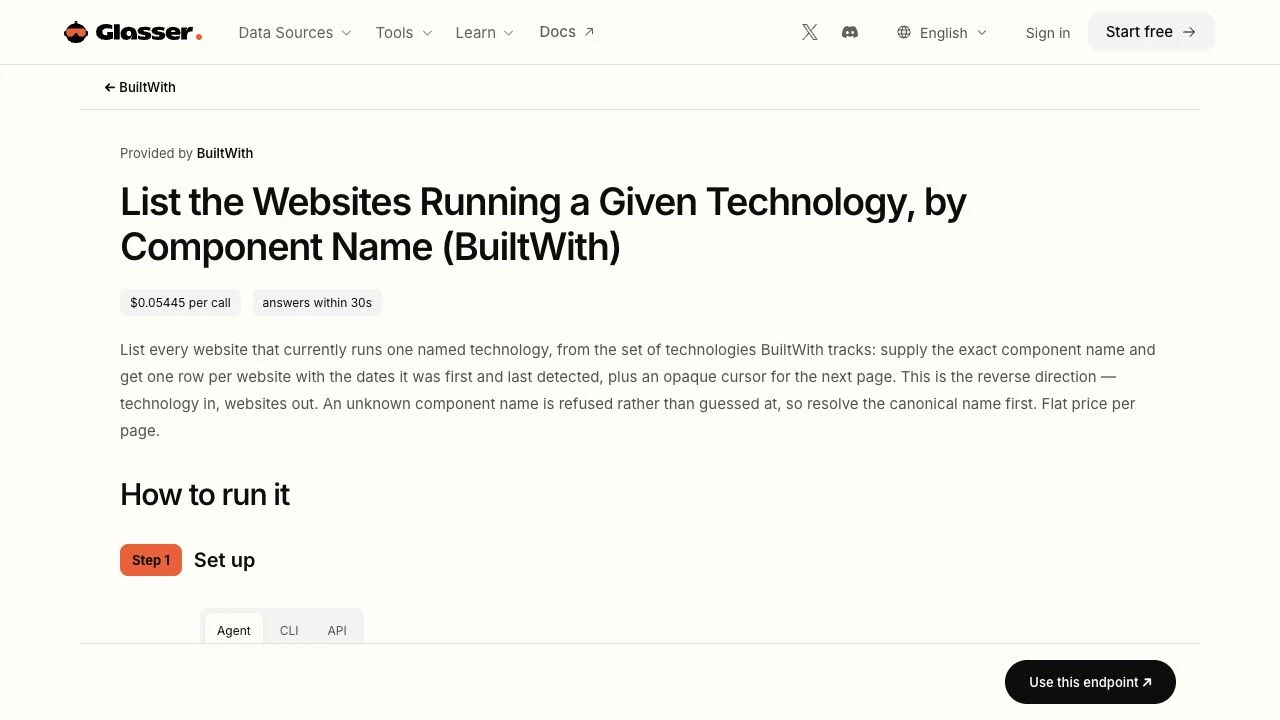
Official endpoint page captured on November 12, 2026. The screenshot shows documentation; it is not a returned Shopify prospect list.
Resolve the technology, then inspect the first page
Open the BuiltWith source page, follow its setup instructions for your chosen agent, CLI, or API, and check the endpoint rate. Resolve the canonical component name for Shopify before requesting the list. The list endpoint requires that exact name in TECH; its documentation says unknown names are refused. When requesting another page, use the returned opaque cursor as OFFSET. Keep the cursor unchanged.
Inspect an initial page before collecting more. Confirm that the records describe the technology and storefront scope you intended, then retain the website and available detection dates. A domain can represent a regional store or one brand owned by a larger company. Your final company count should account for those relationships.
The endpoint's role is website discovery. Apply your service and market criteria during subsequent research, or through separately documented company-search capabilities. A technology list request does not by itself establish headcount, budget, buying intent, or a complete company profile.
Expand with a measurable qualification process
Decide which countries, merchant categories, and buying tasks your agency can serve. Review a sample against those conditions, noting rejected and unresolved records as well as accepted ones. Continue pagination when the sample suggests the source is useful for your chosen segment.
For example, an illustrative sample of 50 unique companies with Shopify storefronts might leave 15 worth investigating. That is a 30% qualification rate for that sample. It tells you how much review work produced a usable shortlist; it does not predict that later pages will have the same yield. Track unique companies and the evidence for your proposed service alongside the number of downloaded rows.
Glasser's shared access is useful when the next step needs a different source. You can move from BuiltWith discovery to supported company and person-data operations without setting up separate provider credentials. Check the applicable endpoint rates before expanding: pagination, company enrichment, and contact research can require separate calls.
This workflow is based on official documentation reviewed on November 12, 2026. We have not run a live Shopify list request or measured coverage for this article.
How do you identify a plausible development opportunity?
A technology match tells you where your skills apply. The storefront review determines whether there is a concrete issue worth discussing. Use a repeatable buyer task so your notes describe something a merchant can verify.
Review one product-selection journey
If your specialty is technical catalogs, choose a product family and try to compare relevant variants. Record the exact collection and product URLs, the attributes a buyer needs, and what the pages actually show. If specifications appear on individual products but cannot be compared from the collection, describe that observation and the scope of your review.
For business purchasing, inspect the public trade or wholesale journey. Record whether the site explains account applications and how buyers begin an order. An account-only experience may hide the details you need; mark those questions for discovery instead of treating inaccessible functionality as missing.
| Review finding | Useful next step |
|---|---|
| Relevant products and a reproducible difficulty comparing specifications | Save the pages and propose a focused catalog review |
| Business purchasing is advertised, but account behavior is private | Ask about the account workflow before recommending changes |
| The reviewed journey already supports the buyer's task | Set the record aside for this service offer |
| Several storefronts belong to the same company | Preserve store-level evidence and resolve the shared account owner |
Check whether the merchant needs development work at all. Buildmat's case describes bringing B2B and POS into its business without a dedicated development project. Complexity alone does not establish demand for an agency. Recommend configuration, content work, or custom development only after understanding the merchant's requirements.
Keep observations separate from your proposal
Consider a fictional industrial-supplies merchant, “Example Supply.” Its reviewed collection page shows product names and images, while specifications sit on individual product pages. An agency specializing in catalog usability could record a hypothesis: bringing selected attributes into the comparison journey may help buyers evaluate alternatives.
The evidence is the observed page structure. The proposed improvement remains a hypothesis until the merchant explains its buyers, priorities, and existing plans. A useful first conversation would ask how customers compare those products today and whether the team wants to change that experience. Claims about lost revenue or an urgent rebuild would go beyond the evidence.
How do you turn the shortlist into company and contact research?
Once a store fits your service, identify the company that operates it. Keep its store domain, corporate domain, and parent relationship distinct. An agency offering a regional-store project may need a different contact from one proposing work across several brands.
Glasser's People Data Labs company enrichment supports inputs such as domain, website, and company name. Use returned company context to help assess the account, checking that the match belongs to the merchant you reviewed. Leave missing or ambiguous attributes unresolved; a completed request does not guarantee a complete profile.
Then define the function relevant to the proposed work. An ecommerce or digital-commerce role is a reasonable research starting point for a storefront project, subject to the company's actual structure. Glasser's Prospeo endpoints support person searches by employer and role-related filters. Person search and work-email or mobile lookup are separate operations; finding a role does not guarantee contact details or decision authority.
Keep three groups of information together for each prospect:
- Store domain, company identity, source, and technology-detection dates.
- Market and service fit, reviewed page, observation, and proposed follow-up question.
- Relevant function, contact-source details, research date, and qualification decision.
For the fictional Example Supply record, the handoff would contain the reviewed collection URL, the specification-comparison observation, the proposed catalog review, and the role still to identify. That gives contact research a purpose. Your team makes the qualification decision from this evidence; Glasser supplies the supported source data used in that research.
What should you verify before using the list?
Does Shopify detection also confirm Shopify Plus?
Confirm Plus separately when it affects your service offer. Company size and storefront appearance do not establish the plan; use explicit evidence and retain its date and scope. A general Shopify match should stay a Shopify match until you have that evidence.
How current are the company records?
Keep the source's last-detected date separate from your retrieval date and your manual website-review date. Before using a shortlisted account, revisit the exact storefront and investigate redirects, ownership changes, or conflicting technology evidence.
Does a Shopify company list reveal who is ready to buy?
Platform use establishes a technical fit, while a documented site observation gives you a reason to research further. Budget, urgency, and willingness to hire require additional evidence or a conversation with the merchant.
Start with Glasser's BuiltWith data source, resolve the Shopify component, and inspect an initial page against one development service you offer. Keep the qualifying stores and their evidence together, then add company context and relevant contacts through Glasser. For a wider search across ecommerce platforms, use the ecommerce prospect-list guide.
Related posts
View more
9 min read
List of Ecommerce Companies: Build a Targeted Merchant Prospect List
Find ecommerce prospects at scale with company and website data. Qualify merchants by category, market, size, technology, and current contacts.

7 min read
Company Data Enrichment: How to Turn Domains into Useful Company Profiles
Turn company domains into useful profiles with identity checks, parent-company boundaries, source tracking, and clear acceptance rules.

9 min read
List of SaaS Companies: Find and Qualify Sales Prospects at Scale
Build a targeted SaaS company list using large data sources, company filters, growth signals, and current contacts through Glasser.
Make your agent
work with real data.
Search, inspect, and run data APIs through one Glasser key. Turn your next question into a result you can use.
Get started with Glasser