
Glasser Team9 min read
List of SaaS Companies: Find and Qualify Sales Prospects at Scale
Build a targeted SaaS company list using large data sources, company filters, growth signals, and current contacts through Glasser.

Where can you get a list of SaaS companies for prospecting?
A sales team needs a list it can work through: SaaS companies in the right market, large enough to buy its offer, with a relevant person to contact. A short list of familiar software brands quickly runs out of useful prospects. The useful starting point is a searchable company database, followed by filters that reflect the service or product being sold.
Glasser's company search gives you that starting point. Its Prospeo endpoint supports SaaS classification, business model, company size, headquarters location, product keywords, and company activity filters. You can discover companies you do not already know, qualify them, and then use supported contact endpoints through the same Glasser account and balance.
The underlying data sources operate at a much larger scale than an editorial list. People Data Labs reports more than 70 million company profiles, spanning startups through large groups. This provider-reported figure, reviewed on November 12, 2026, covers companies across industries. Your SaaS segment will be a smaller subset, determined by coverage and filters.
Glasser connects several parts of the prospecting task: Prospeo for filtered company discovery and contact research, People Data Labs for company search and enrichment, and Lusha for supported company and contact signals. That gives you room to expand a segment and fill specific gaps without setting up a separate provider account for each supported source. Start with Glasser's Prospeo data source, which includes $1 starting credit and usage billing from one shared balance.
Which SaaS companies should your list include?
Define the customer you can actually serve before requesting more records. “SaaS companies” includes products with very different buyers, budgets, and operating needs. A service for onboarding business customers will need a different account list from a tool for engineering teams.
The following segments are examples of prospecting briefs. Their inclusion rules are editorial recommendations; translate them into the filter values supported by the selected endpoint.
| Prospecting segment | Data that narrows the company pool | Reason to investigate |
|---|---|---|
| B2B SaaS companies building a sales team | SaaS subtype, B2B model, headcount, sales hiring or department growth | A growing sales organization may need onboarding, operations, or enablement support |
| SaaS companies selling customer-service software | SaaS subtype, product keywords, company size, headquarters | Product category can establish relevance for an integration or specialist service |
| SaaS companies after a funding round | SaaS subtype, funding stage and date, size, market | A recent round gives you a dated event to investigate alongside the company's stated plans |
| SaaS companies with a relevant integration | SaaS subtype, named website integration, buyer segment | An integration can establish compatibility with the workflow you support |
An industry label such as “Software Development” can still include companies outside your SaaS target. Glasser's Prospeo company-search schema exposes a SaaS subtype and a B2B business-model field, plus keywords across company descriptions, products, services, and website pages. Use those together, then check a sample against the company's own product pages.
For a business selling sales onboarding services, an initial brief might be: private B2B SaaS companies headquartered in the United States, with 51–200 employees, offering software to business teams. Sales hiring becomes a second pass that helps prioritize research. Keeping it separate lets you see how much of the suitable company pool has a usable activity signal.
A SaaS vendor and a company that uses SaaS software are different targets. A technology filter for a CRM identifies users of that CRM; the SaaS classification and product evidence identify software sellers. Preserve that distinction when building the query.
How do you build and expand the list through Glasser?
Search a defined segment first
Open the Glasser company-search endpoint and follow its Agent setup instructions. The page publishes the accepted input schema, sample input, and current billing details. It also explains how to connect the Glasser Skill so your agent can discover, inspect, and run supported endpoints.
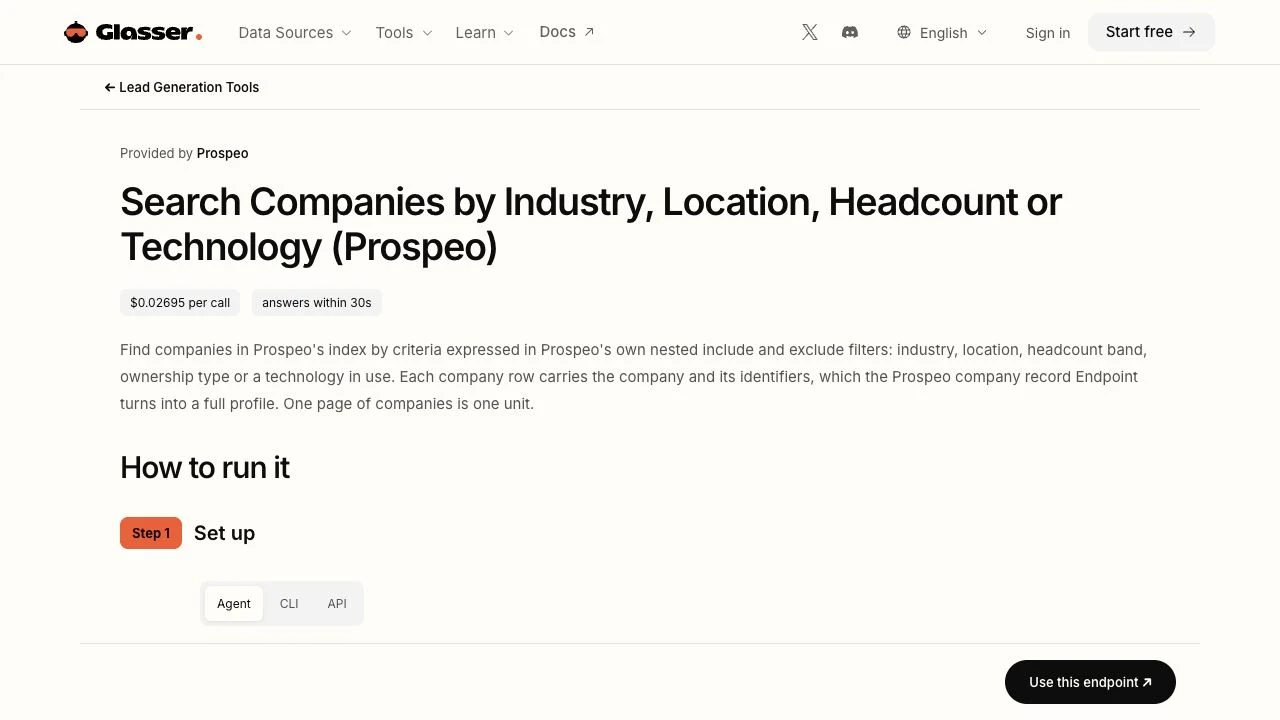
Glasser company-search page, captured November 12, 2026. The page exposes the supported operation and setup; it does not show a completed prospecting run.
After setup, give your agent a brief such as the following. This is an author-written task prompt based on the documented filters; it has not been tested as a live data retrieval.
Use Prospeo company search through Glasser to find private B2B SaaS companies headquartered in the United States with 51–200 employees. Inspect the endpoint schema and accepted location values first. Start with one page. Keep company identifiers and domains, and show which returned fields support inclusion. Flag missing information. Keep sales hiring as a separate prioritization check. Stop after the first page so I can review relevance before expanding the search.
The current schema accepts the 51–100 and 101–200 headcount bands and requires accepted headquarters values. A clear natural-language brief helps the agent choose the right filters, while the endpoint schema governs the actual request. Review whether the returned companies sell the type of software you intended before retrieving more pages.
Expand by segment and page
Prospeo's company-search endpoint exposes a page parameter from 1 to 100. Continue using the same filters and the next available page, within the endpoint's limits and your budget. Save the query, page, provider identifier, and domain with each batch so you can deduplicate results and resume the work.
For a large market, split the search into meaningful segments such as country, employee band, or software category. Measure the new companies each segment contributes after deduplication. A second source can add coverage, but its record count may overlap substantially with the first.
People Data Labs company search through Glasser provides another route using SQL or Elasticsearch queries over fields including industry, size, and location. Its currently published Glasser input allows up to 10 results per call. Use it for scoped searches or coverage checks; the source's overall database size does not imply an unlimited export from one request.
Inspect classification before buying more detail
If the first page contains development agencies, consumer apps, or companies outside the intended market, fix the inclusion rule first. More enrichment will add information to those records without making them better prospects.
Record why each reviewed company passes or fails. For the sales-onboarding example, a consultancy describing “SaaS development services” should be excluded unless it also sells a relevant hosted product. A SaaS vendor in the correct market with missing headcount should stay in a review queue until that field is resolved.
What data turns a company into a useful sales lead?
A company becomes actionable when the team can explain why it fits, who is relevant, and what evidence supports the next conversation. Keep those decisions in the same research file as the company identity.
| Field group | What to retain | What it enables |
|---|---|---|
| Company identity | Company name, canonical domain, source identifier, parent relationship when known | Deduplication and matching across sources |
| SaaS fit | Named product, product category, B2B evidence, supporting URL | A defensible inclusion decision |
| Commercial fit | Employee band, headquarters, relevant market, source and observation date | Assignment to the right campaign |
| Timing | Hiring, funding, headcount change, or another relevant event with its date | A specific reason to research the account now |
| Contact | Name, employer, role, seniority, available contact details and verification status | Researching the person responsible for the relevant function |
| Next action | Include, exclude, or review; reason; owner | A list the sales team can act on |
Use Glasser's company enrichment source when a shortlisted company needs additional firmographic information. For contacts, Glasser's Prospeo endpoints support person search by employer, role, department, and seniority, followed by work-email or mobile lookup where available. Search and contact retrieval are separate operations; a company-search result does not promise a complete contact record.
Choose the function from the problem you solve. For the onboarding service, a sales enablement leader or sales operations owner may be a better research target than a founder at every company. Check the person's current employer and responsibilities before treating them as the relevant contact.
Keep the segment, company domain, named SaaS product, supporting page, relevant activity, contact, and next action in the same account record. Include the source and observation date so another researcher can check why the company qualifies. The company enrichment guide covers identity matching when domains or parent companies are ambiguous.
How do you keep the list current and measure its usefulness?
Put dates next to the fields that drive outreach
A recent download can contain older observations. Preserve when you retrieved the data, when the source observed it if supplied, and when a dated business event occurred. Refresh the fields that determine the next action before a campaign, especially employment, contact details, and activity signals.
Prospeo describes weekly refreshes for its highest-intent leads and approximately monthly refreshes for its broader dataset. PDL's company-data page describes monthly dataset refreshes. These are provider policies, not a real-time guarantee for every field returned through Glasser.
For additional timing research, Glasser's Lusha source includes company hiring, headcount, traffic, and news signals, along with supported contact-change events. Use an event to formulate a relevant question. Funding or hiring alone does not establish that a company wants your service.
Count accepted accounts and reachable roles
Consider a hypothetical review of 200 distinct SaaS candidates. Suppose 120 meet the product, size, and market rules, and 75 of those have a relevant current contact with an available work email. The fit rate is 60%; contact coverage among accepted accounts is 62.5%. The numbers are illustrative, not measured Glasser results.
These results show where to improve the list. A low fit rate points to search criteria or classification. A good fit rate with weak contact coverage points to role selection or contact-data coverage. Once outreach begins, evaluate replies and qualified conversations by segment so the next search reflects actual customer response.
This makes scale useful: you can draw from a large source pool, measure which records survive your criteria, and expand the segments that produce usable opportunities.
What should you check before expanding your SaaS list?
Can Glasser provide a complete global list of SaaS companies?
Glasser provides access to supported company-search sources and filters. Coverage varies by source and segment, so retain the query scope and date rather than describing the output as a complete global census.
How much will a prospecting list cost?
The cost depends on the endpoints, pages or records retrieved, and any company or contact enrichment you add. Review the current endpoint rates, then measure spend per accepted account and per relevant contact in your sample before increasing volume.
What is the best first step?
Choose one SaaS customer segment and start its company search in Glasser. Review the first page for fit, refine the filters, and expand only after the results match the customers you can serve.
Related posts
View more
7 min read
Company Data Enrichment: How to Turn Domains into Useful Company Profiles
Turn company domains into useful profiles with identity checks, parent-company boundaries, source tracking, and clear acceptance rules.

9 min read
List of Ecommerce Companies: Build a Targeted Merchant Prospect List
Find ecommerce prospects at scale with company and website data. Qualify merchants by category, market, size, technology, and current contacts.

8 min read
Best B2B Contact Database Providers: Compare Coverage, Verification, and Cost
Compare five B2B contact data options by account coverage, role fit, verification, and cost per usable contact or covered account.
Make your agent
work with real data.
Search, inspect, and run data APIs through one Glasser key. Turn your next question into a result you can use.
Get started with Glasser